# Swap

### Smart Contract

A direct fork of Uniswap-V3 exchange on the Asset Chain blockchain, implementing the constant product market maker (CPMM) curve.

The official documentation for Uniswap explains all you need: [https://docs.uniswap.org](https://docs.uniswap.org/)

**Official Deployments:**

**Mainnet**

<table><thead><tr><th width="275">Contract</th><th>Address</th></tr></thead><tbody><tr><td>SwapRouter</td><td><a href="https://scan.assetchain.org/address/0xEC2B2209D710D4283b5d1e29441Df0Dbb9ceE5c3">0xec2b2209d710d4283b5d1e29441df0dbb9cee5c3</a></td></tr><tr><td>NonFungiblePositionManager</td><td><a href="https://scan.assetchain.org/address/0x8804e26B04f52B0183ECE80b797d1c1079956E56">0x8804e26B04f52B0183ECE80b797d1c1079956E56</a></td></tr><tr><td>UniswapV3Factory</td><td><a href="https://scan.assetchain.org/address/0xa9d53862D01190e78dDAf924a8F497b4F8bb5163">0xa9d53862d01190e78ddaf924a8f497b4f8bb5163</a></td></tr><tr><td>Liquidity Locker</td><td><a href="https://scan.assetchain.org/address/0xbaF9841A79f038d99bB8bBF26Cc6ab9cAF552b24">0xbaF9841A79f038d99bB8bBF26Cc6ab9cAF552b24</a></td></tr></tbody></table>

**Testnet**

<table><thead><tr><th width="272">Contract</th><th>Address</th></tr></thead><tbody><tr><td>SwapRouter</td><td><a href="https://scan-testnet.assetchain.org/address/0x365C8Bd36a27128A230B1CE8f7027d7a9e5A8f82">0x365C8Bd36a27128A230B1CE8f7027d7a9e5A8f82</a></td></tr><tr><td>NonFungiblePositionManager</td><td><a href="https://scan-testnet.assetchain.org/address/0x7EA8E1240762AC24A599Ab4eD86E39f989BC78A9">0x7EA8E1240762AC24A599Ab4eD86E39f989BC78A9</a></td></tr><tr><td>UniswapV3Factory</td><td><a href="https://scan-testnet.assetchain.org/address/0xf509c3FbbBa099cD5D949C6621C218B3E52670F8">0xf509c3FbbBa099cD5D949C6621C218B3E52670F8</a></td></tr><tr><td>Liquidity Locker</td><td><a href="https://scan-testnet.assetchain.org/address/0x8a7AE2D2b29b3737CA37b2f2a6406A0533015990">0x8a7AE2D2b29b3737CA37b2f2a6406A0533015990</a></td></tr></tbody></table>

### How to Swap

Users can decide to swap token on Mainnet or Testnet.\
Swapping on Testnet will use the supported test Tokens.

Click the links below to get started.

**Mainnet:**

**Testnet:** <https://swap-testnet.assetchain.org/>

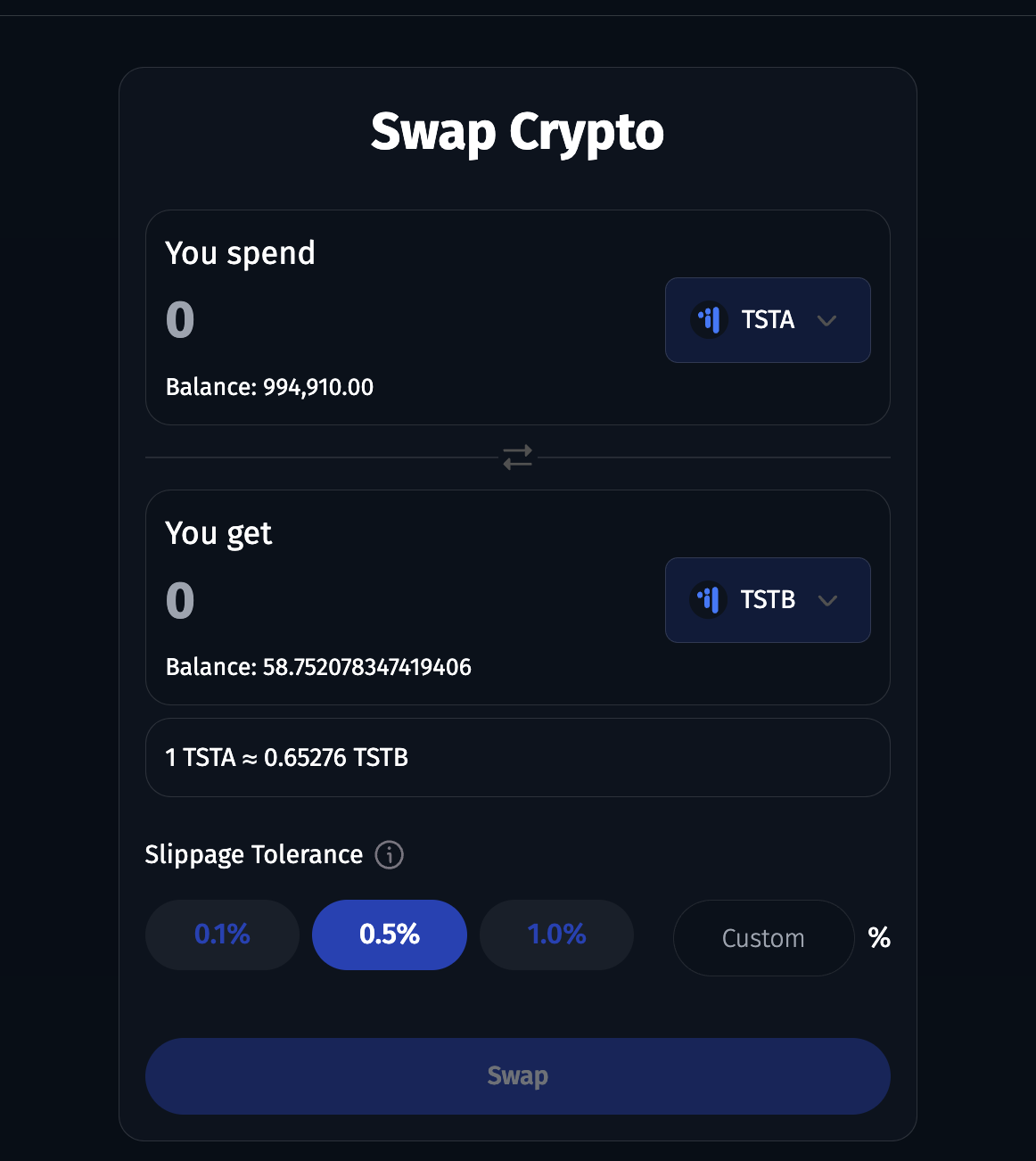
1. Once you visit the links above, you'll see a screen similar to the one below. Enter your intended amount to swap, then select a suitable slippage.

<figure><img src="https://raw.githubusercontent.com/theiceeman/asset-chain-assets/main/gitbooks/swap/1.png" alt=""><figcaption></figcaption></figure>

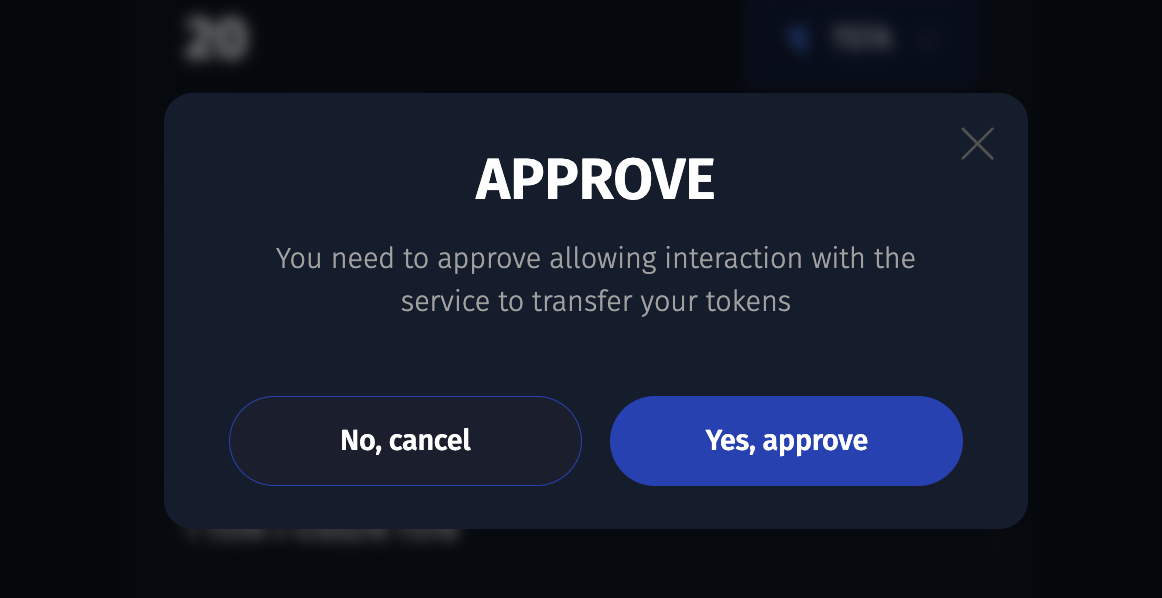
2. Click on the approve button, to approve the contract to spend your token on your behalf.

<figure><img src="https://raw.githubusercontent.com/theiceeman/asset-chain-assets/main/gitbooks/swap/2.png" alt=""><figcaption></figcaption></figure>

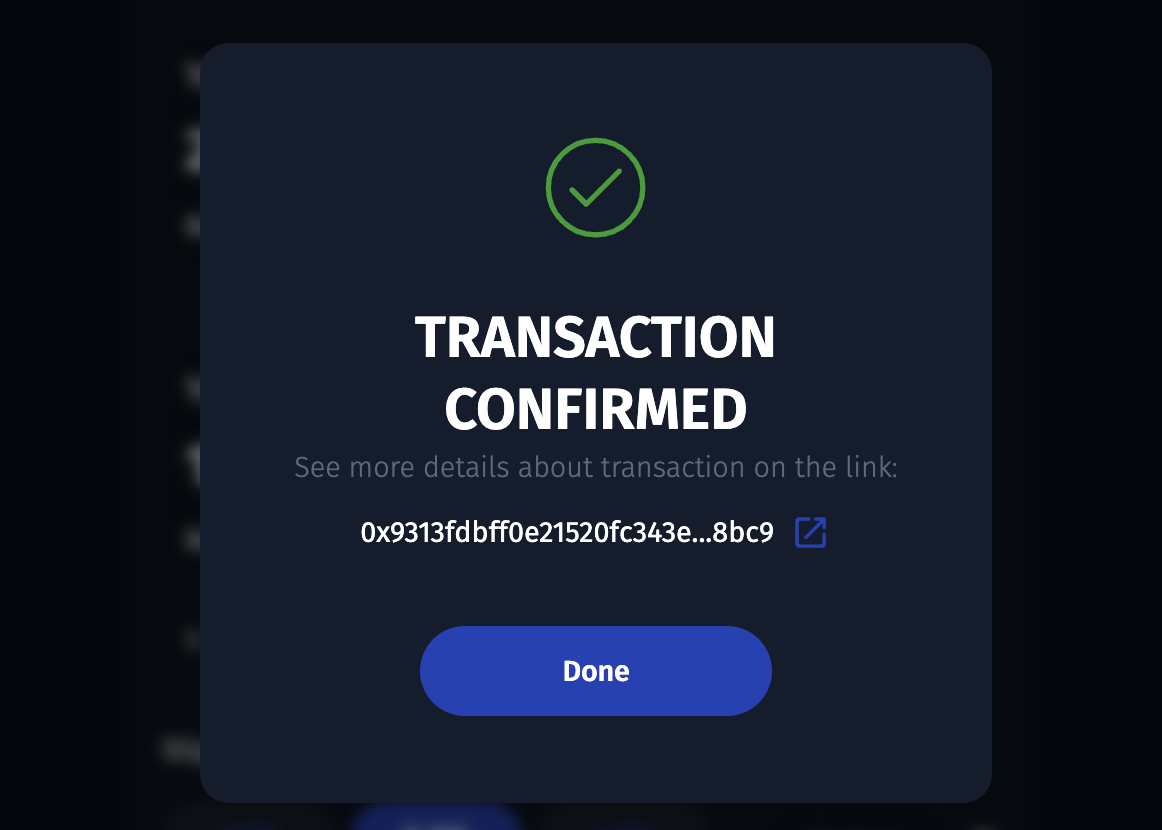
3. After confirming the transaction in your wallet, you should see a similar screen below. Approval was successfull. Next up is actual swapping.

<figure><img src="https://raw.githubusercontent.com/theiceeman/asset-chain-assets/main/gitbooks/swap/3.png" alt=""><figcaption></figcaption></figure>

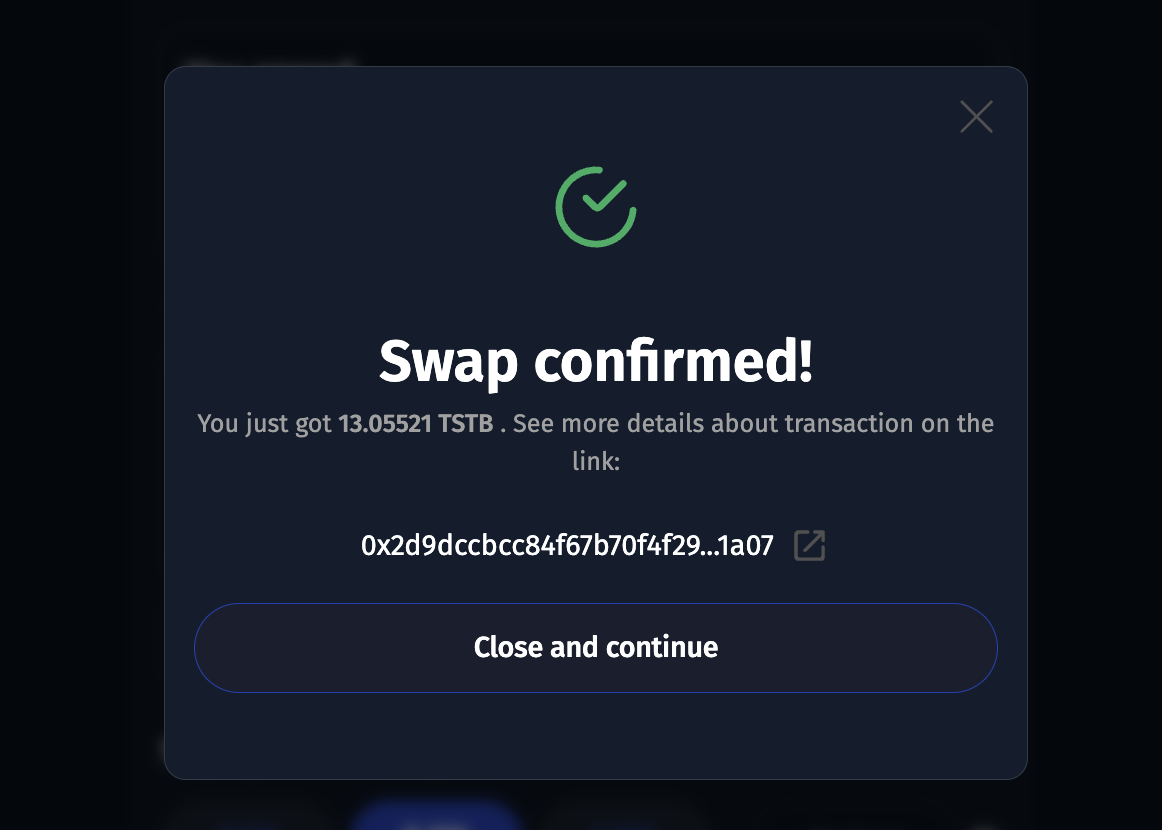
4. Click on the swap button, and sign the transaction. You should see a modal similar to the one below, if successful.

<figure><img src="https://raw.githubusercontent.com/theiceeman/asset-chain-assets/main/gitbooks/swap/4.png" alt=""><figcaption></figcaption></figure>

{% hint style="success" %}
Congratulations! You've swapped your token successfully.
{% endhint %}

## Locking Liquidity Positions

When you provide liquidity on AssetChain Swap application, you also have the option to lock that liquidity position for a period of time. In this period of time, you don't have the permission to perform any actions on your liquidity position.

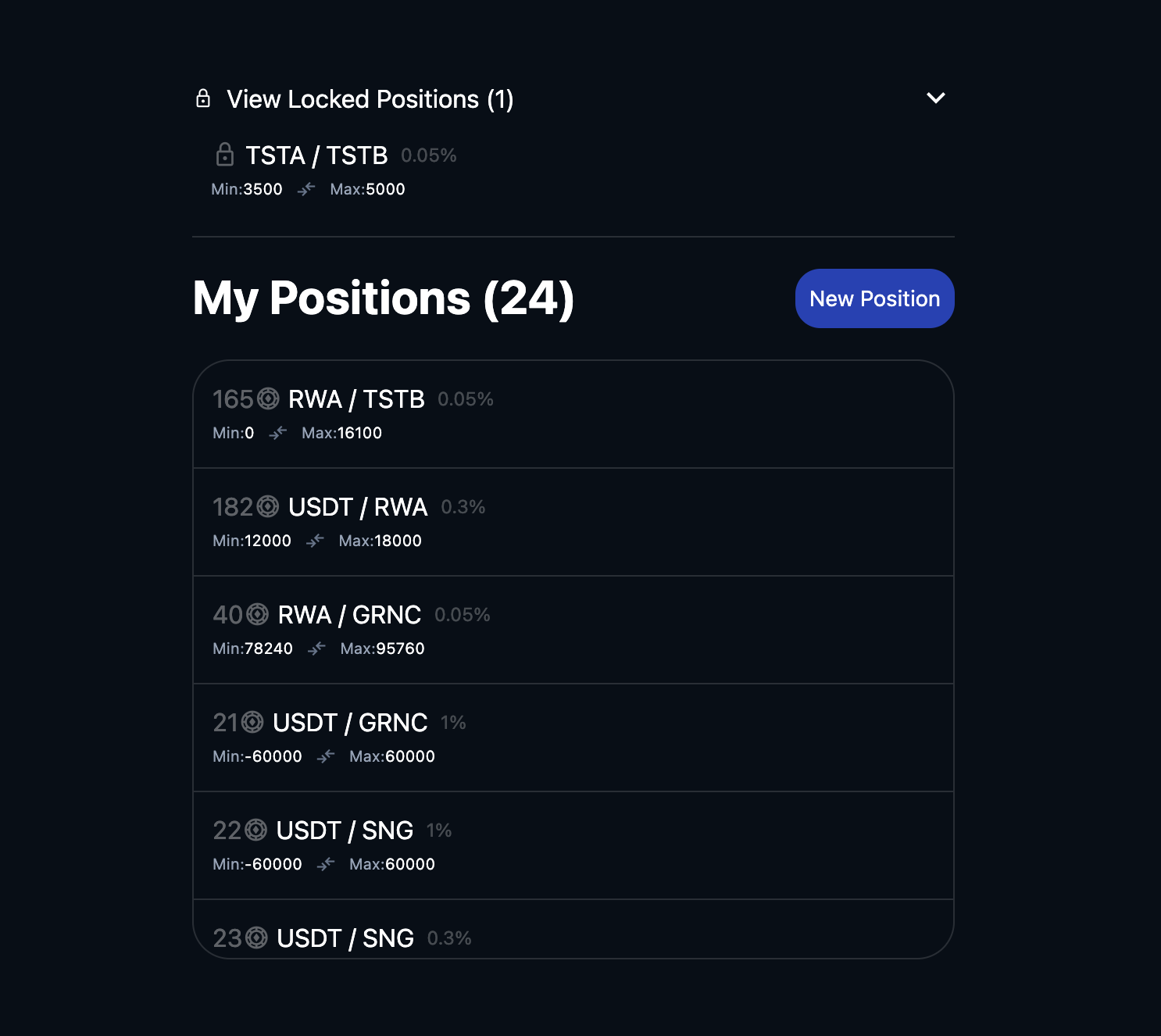
The following are steps to lock liquidity position on the [AssetChain Swap application](https://swap-testnet.assetchain.org)

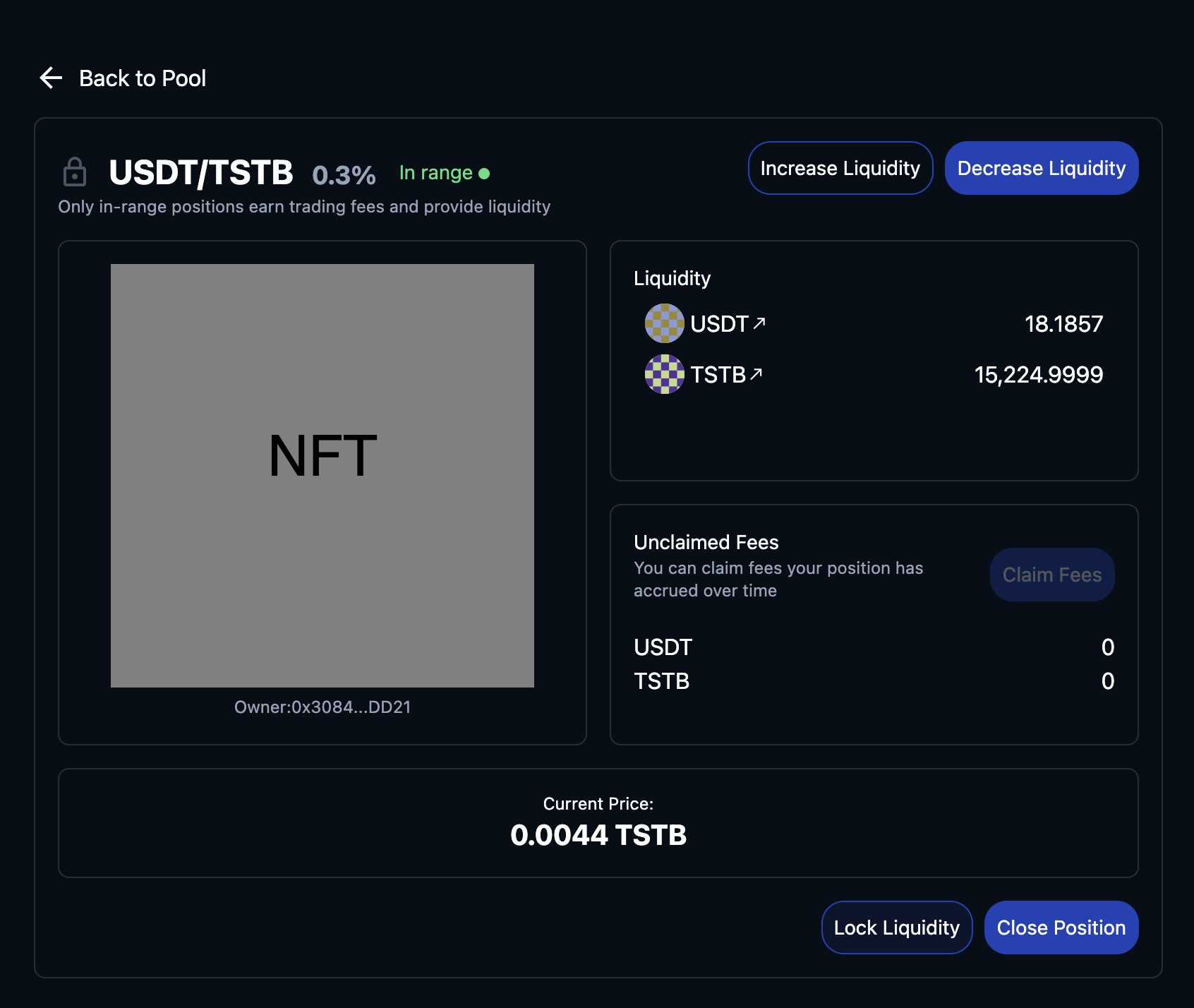
1. View Liquidity Positions

<figure><img src="https://raw.githubusercontent.com/theiceeman/asset-chain-assets/main/gitbooks/swap/1-positions-page.png" alt=""><figcaption><p>View Liquidity Positions</p></figcaption></figure>

2. Single positions. This page has the 'Lock Liquidity' button below for positions that are not locked.

<figure><img src="https://raw.githubusercontent.com/theiceeman/asset-chain-assets/main/gitbooks/swap/2-single-positions-page.png" alt=""><figcaption><p>Lock Liquidity</p></figcaption></figure>

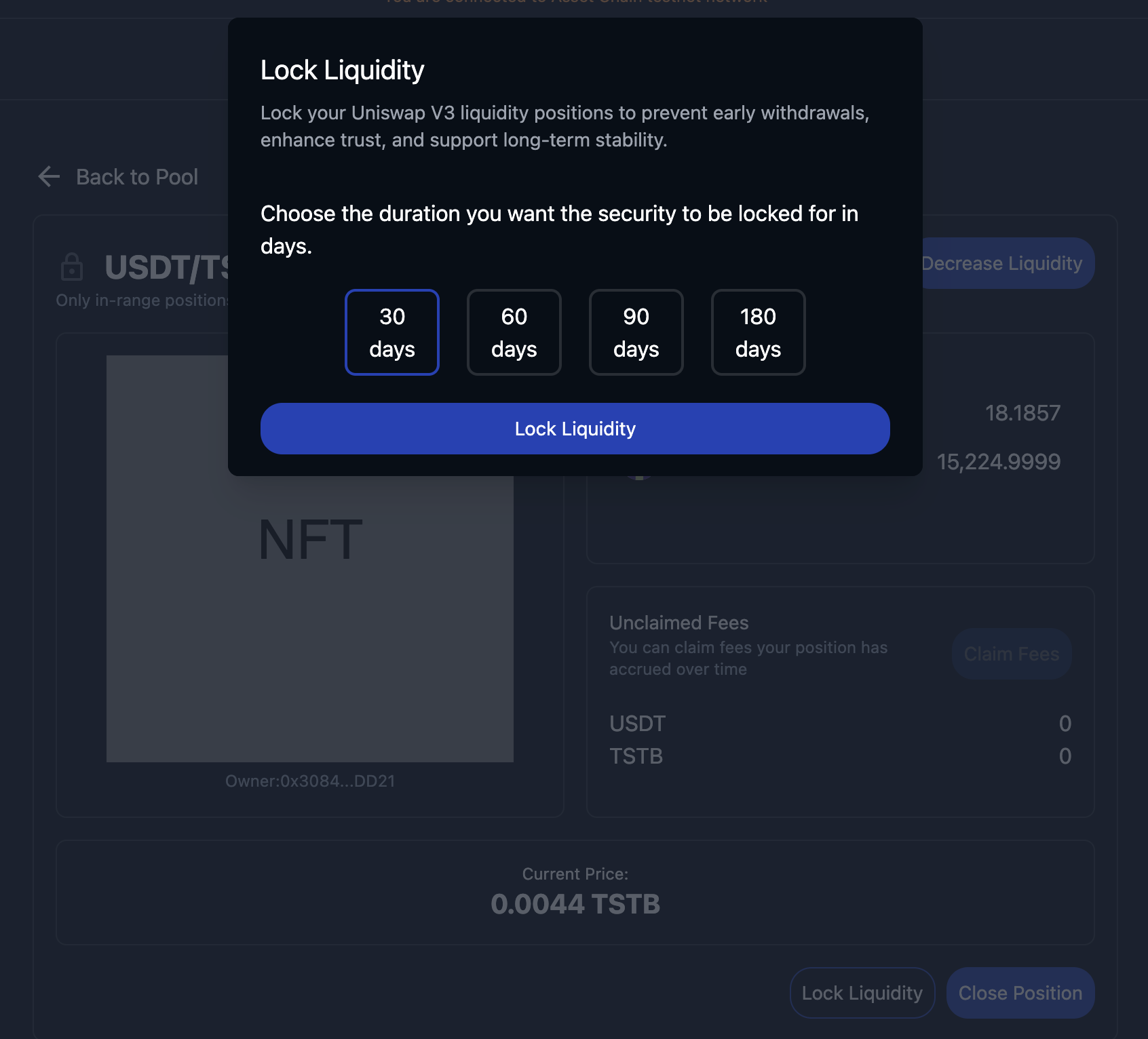
3. Choose lock period. This is the number of days in which you cannot perform any functions like closing position or decreasing liquidity in your position.

<figure><img src="https://raw.githubusercontent.com/theiceeman/asset-chain-assets/main/gitbooks/swap/3-choose-lock-period.png" alt=""><figcaption><p>Choose lock period</p></figcaption></figure>

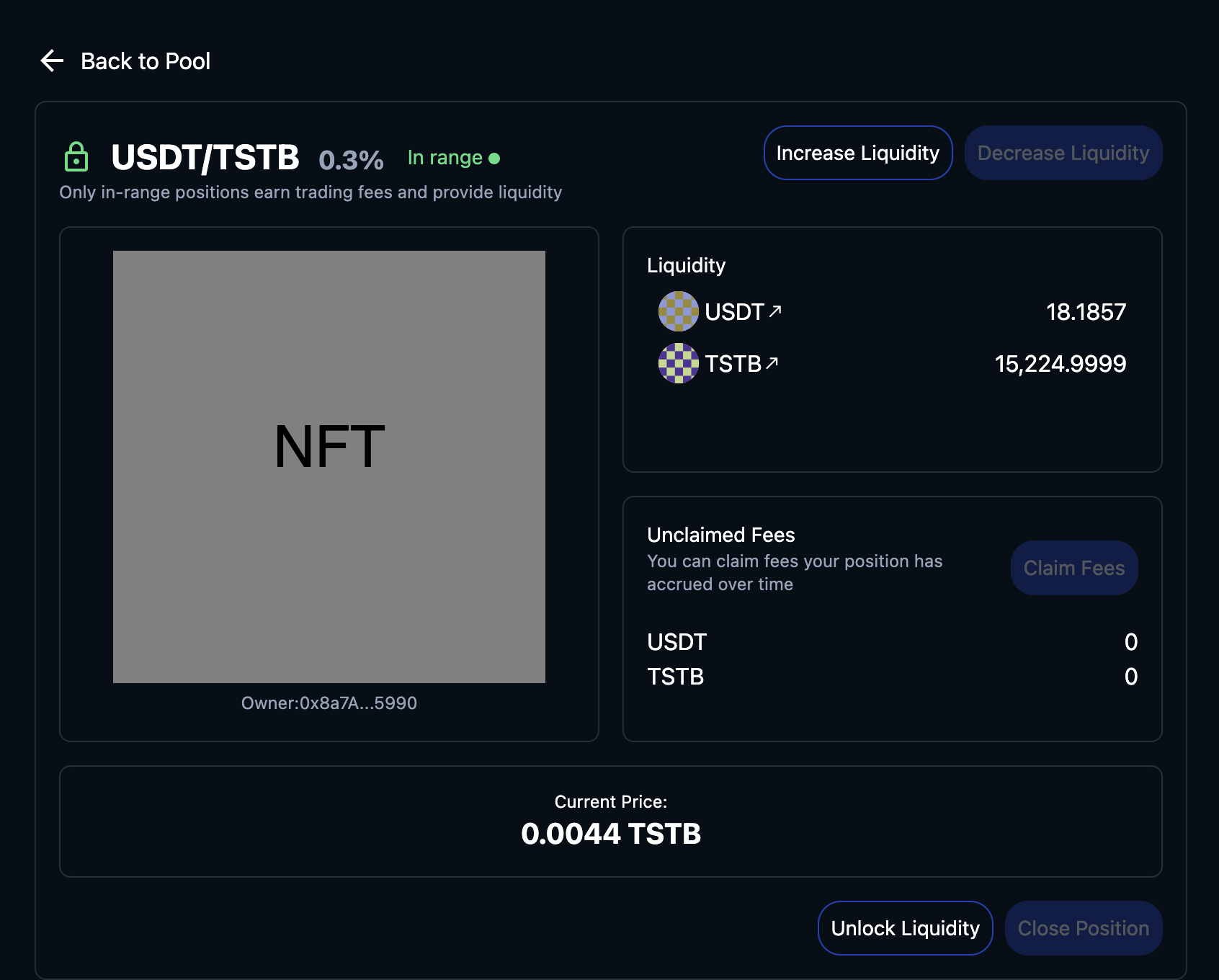
4. Locked Position.

<figure><img src="https://raw.githubusercontent.com/theiceeman/asset-chain-assets/main/gitbooks/swap/4-lock-liquidity-page.png" alt=""><figcaption><p>Locked position page</p></figcaption></figure>

{% hint style="success" %}
Congratulations! You've locked liqudity successfully.
{% endhint %}

{% hint style="info" %}
For supported Testnet tokens, just reach out to the team [here](https://t.me/AssetChainBuilders)
{% endhint %}


---

# Agent Instructions: Querying This Documentation

If you need additional information that is not directly available in this page, you can query the documentation dynamically by asking a question.

Perform an HTTP GET request on the current page URL with the `ask` query parameter:

```
GET https://ebubes-organization.gitbook.io/asset-chain-docs/tools/swap.md?ask=<question>
```

The question should be specific, self-contained, and written in natural language.
The response will contain a direct answer to the question and relevant excerpts and sources from the documentation.

Use this mechanism when the answer is not explicitly present in the current page, you need clarification or additional context, or you want to retrieve related documentation sections.